Coach for Writing
Writing support for students. Grading support for you. A clear view of drafts and revisions, so you can look beyond the finished work.
Grades 6–12 & college
Writing support for students. Grading support for you. A clear view of drafts and revisions, so you can look beyond the finished work.
Grades 6–12 & college
Top-tier MCQ and essay practice, with grading support to save you time and writing history to help you see your students’ own thinking.
Statistics · History · Government · English
How Coach works
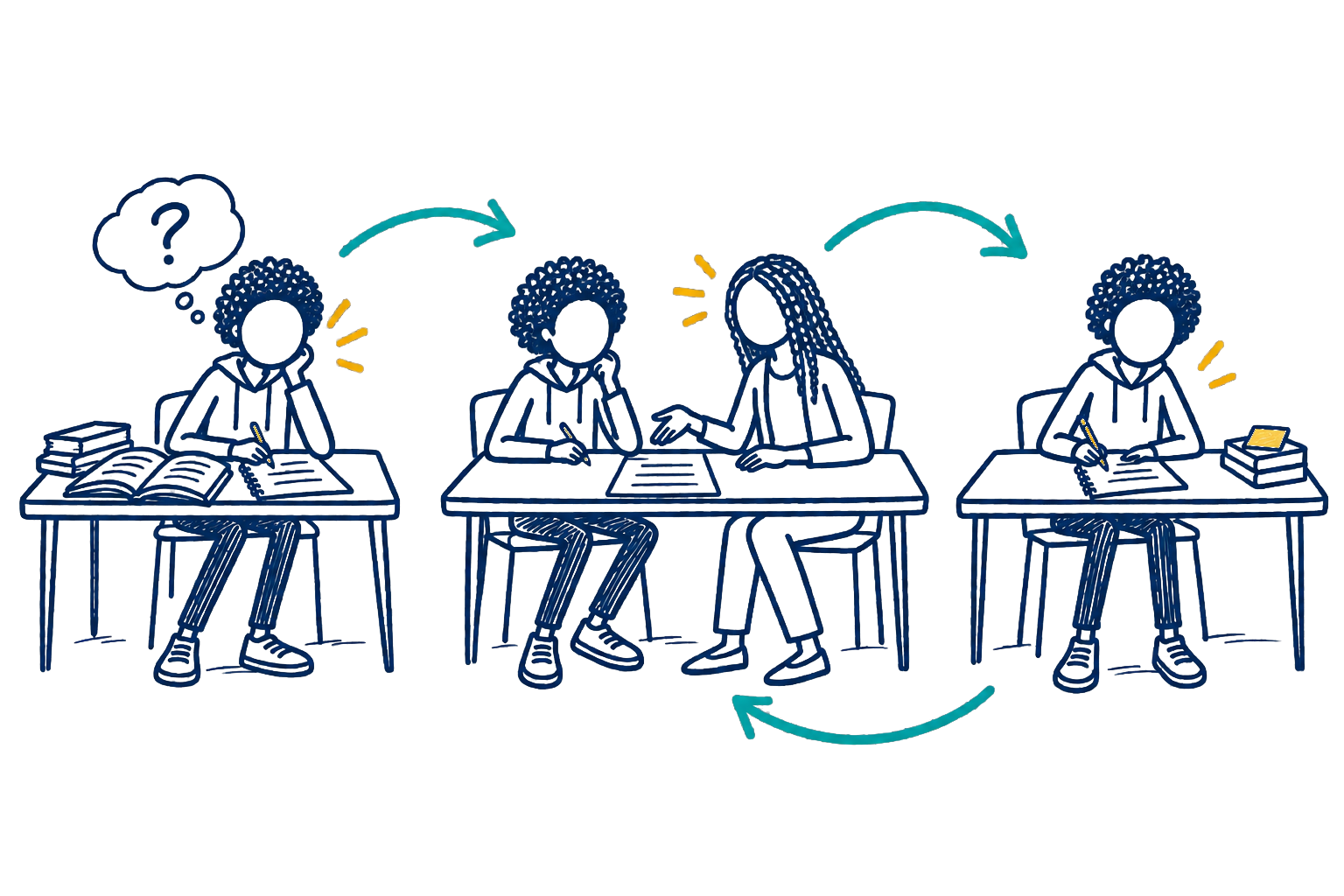
Interpreting the question. Choosing an approach. Making sense of evidence. Explaining an idea. Revising after feedback.
These are not steps to get through. They are how students learn. AI makes it easy to skip that work and still produce a polished answer.
Students need feedback, structure, and another chance to try. What they do not need is a tool that lets them skip the thinking and miss the learning.
For teachers
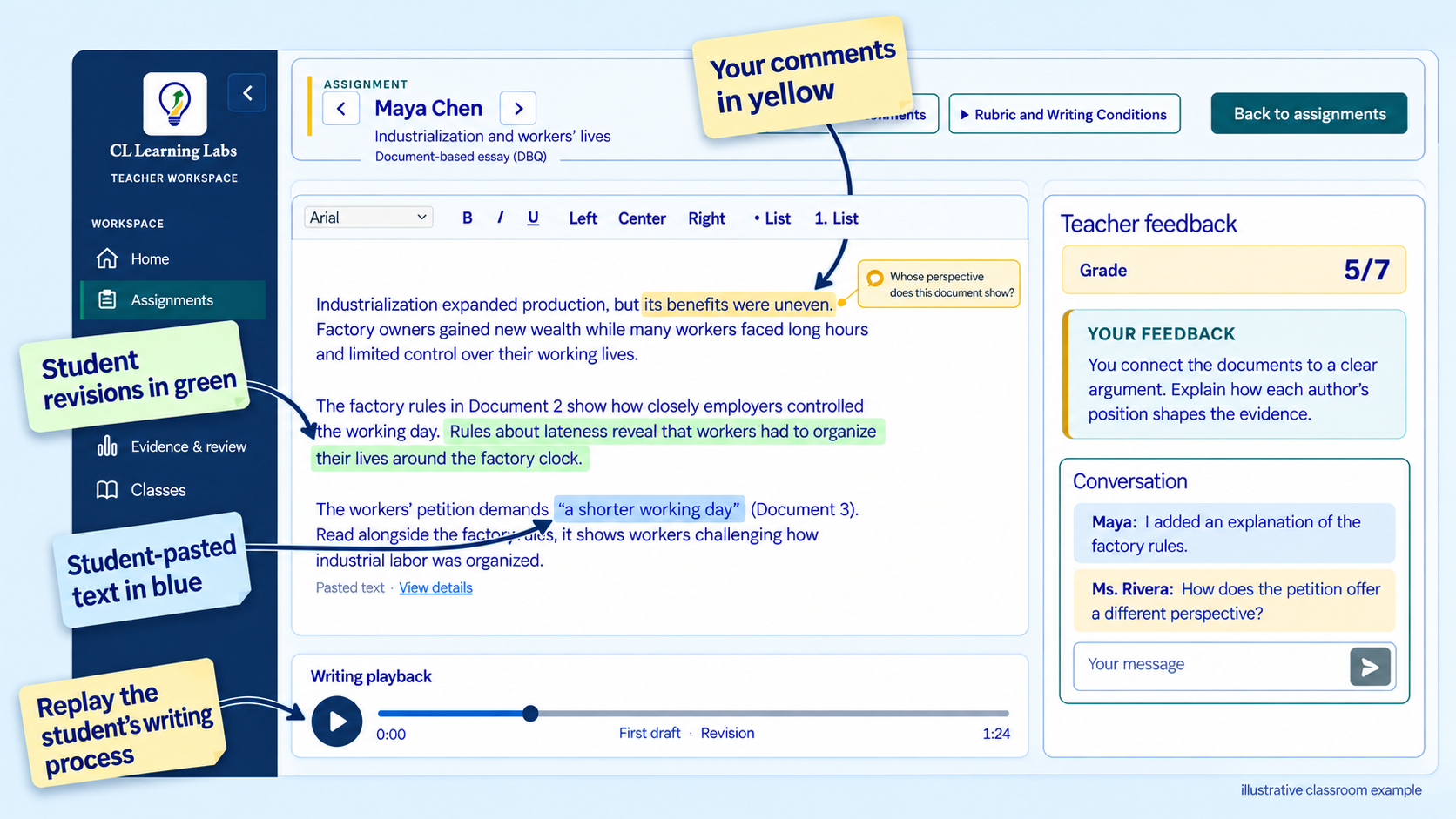
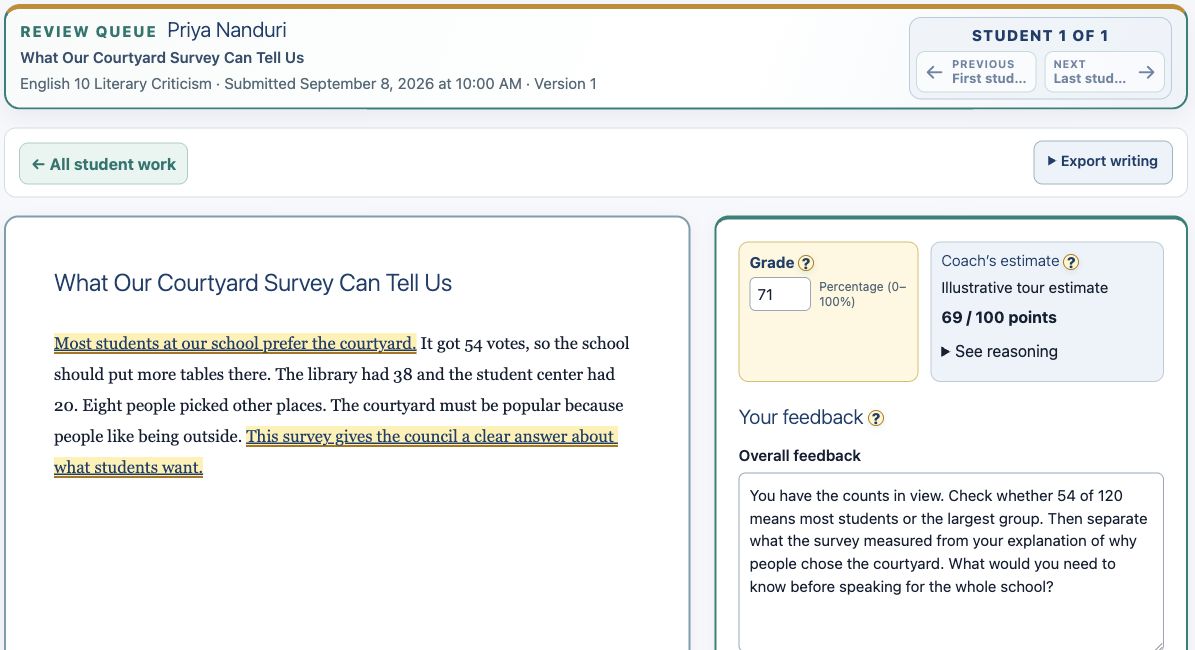
Read the writing, leave your feedback, and decide the grade in one place. When you want a second look, Coach can offer an optional AI estimate and ideas for what to discuss. The feedback your students receive is yours.
Comments and replies stay with the assignment, so students can ask a question and get back to revising.
Compare submitted versions and review how students responded to your feedback.
Where writing history is recorded, inspect pasted text and play back document edits. Those records give you context for a conversation, not a cheating verdict.
For students
A clear place to write, feedback beside the draft, and support that students can open when they need it.
Teachers choose the tools available for an assignment, including checklists, spelling and grammar support, and dictation where supported. Coach's questions respond to the assignment and the student's own draft.
Students keep the ideas, the choices, and the writing.
From feedback to revision
Keep the original beside the revised version. See the lines a student changed, then decide together what still needs work.
Explore writing and revision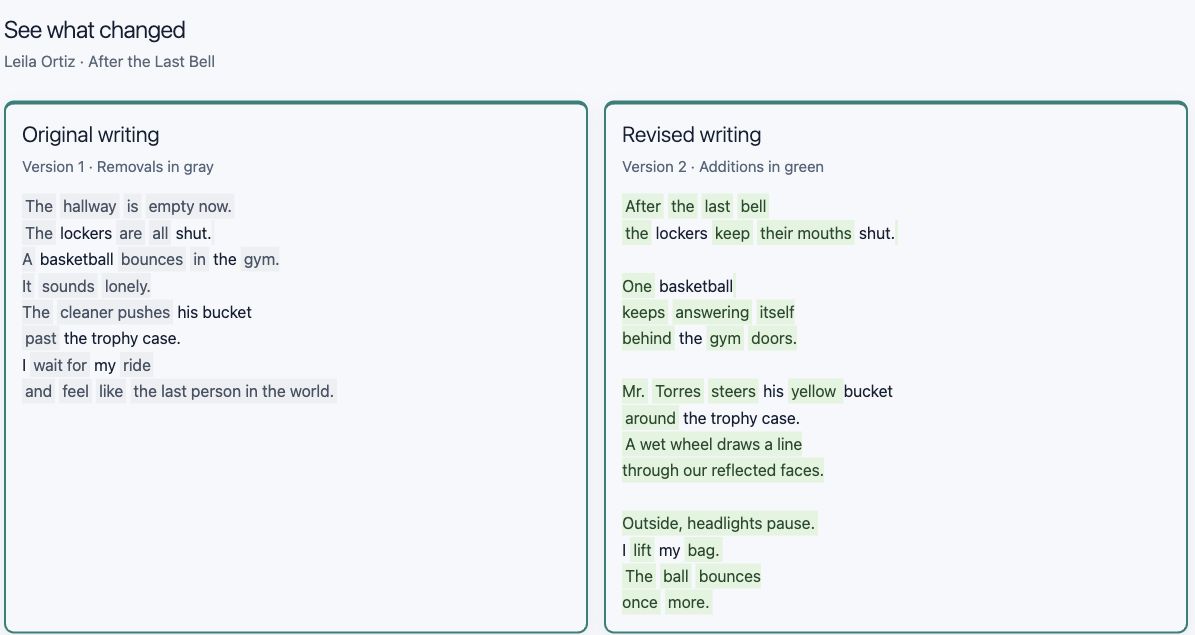
Our AP coaches

Multiple-choice practice. Written responses. Evidence. Explanation. Revision.
Coach brings those pieces together across history, government, statistics, and English, with support built around the knowledge and thinking those courses demand.
Each Coach has practice and tools for its subject. The available activities vary by course.
A better use of technology
Give students a place to do the hard thinking. Give teachers insights that help them teach.

See it for yourself
Choose Writing or APs and explore a sample classroom, from assignment to feedback and revision.